Airbnb views but no bookings
Getting Airbnb views but no bookings? Here's how to find the real leak
AuthorSteven Young, Superhost, operator of 50+ short-term rentals
Updated October 2026
Short answer: If guests can find you but don't book you, you're losing a comparison. Open Insights → Performance → Conversion and find the first number where you trail "similar listings." Trailing on search-to-listing? Your first photo or your displayed price is losing the click. Trailing on listing-to-booking? Your page is losing them: gallery gaps, total price with fees, reviews, or friction like a 4-night minimum. Everyone nearby empty too? It's demand, not you. Change one stage. Measure for 14 days.
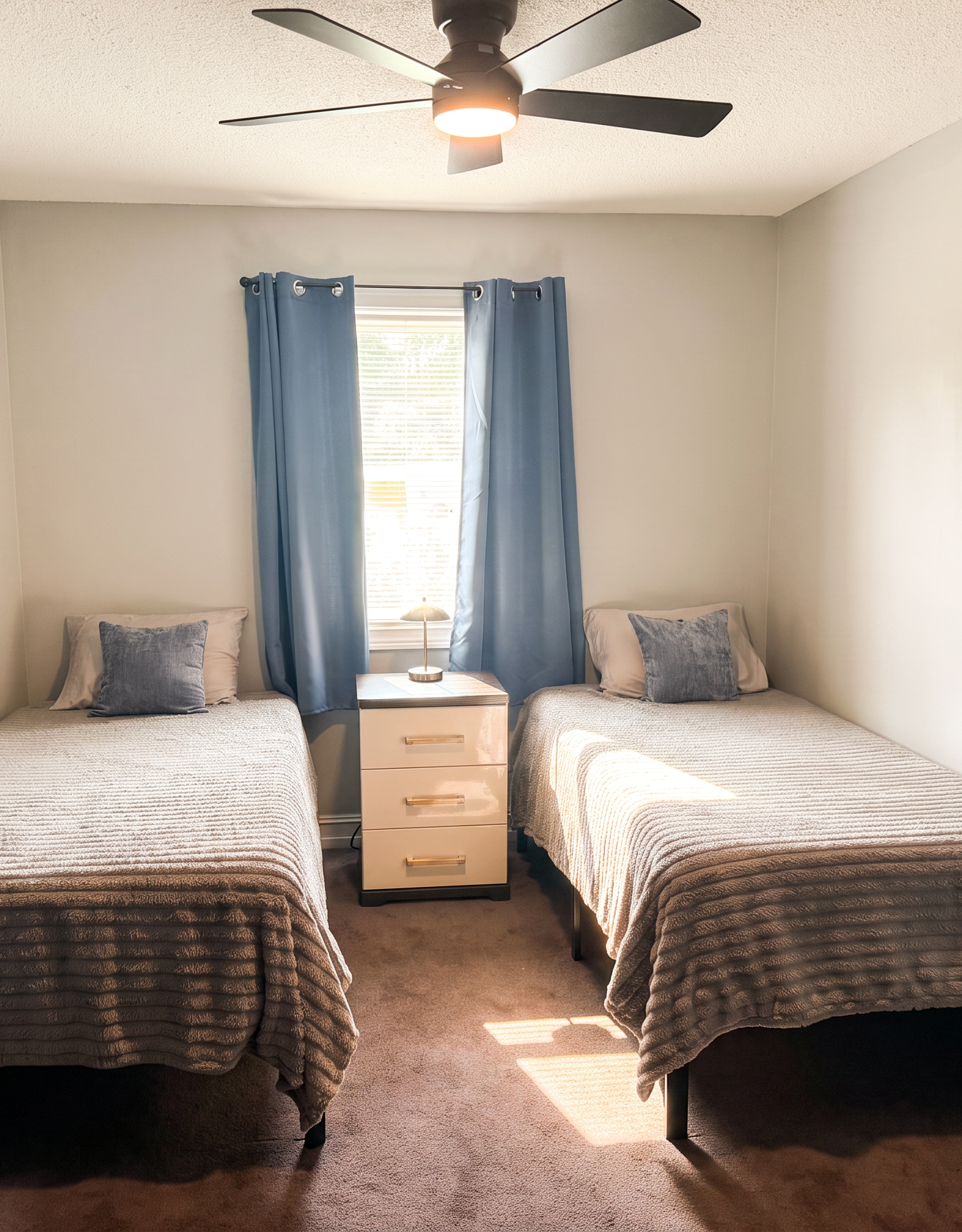
Nobody tells you this about the Airbnb dashboard.
It can say "people are looking" and "nobody is booking" at the same time. Both are true.
I run 50-something listings. I have stared at that screen more times than I'd like to admit. Views up. Calendar empty. And the first thought is always the same one: cut the price.
Don't. Not yet.
One host on the Airbnb Community laid out his month: about 3,117 first-page impressions. 157 page views. Two reservations. (source) A co-host on Reddit had roughly three times the views of similar listings, was priced in the 37th percentile of the market, and got one booking all summer. (source)
So it's not in your head. And it isn't necessarily because your place is worse.
Here's the good news hiding inside the bad news. Views mean the hardest part — getting found — is already working. Something between "seen" and "booked" is leaking.
Your job for the next 15 minutes is to find which step. Each one has a completely different fix. Lowering your price is one of the fixes. It is one of five.
Step 0: Make sure "views" means what you think it means
Do this: Impressions are not page views. Know which one you're looking at.
Hosts say "views" for two different things.
- Search impressions. How often your listing showed up in results. Airbnb calls these first-page search impressions.
- Page views. How often someone actually tapped into your listing.
Lots of impressions, few page views: a click problem.
Lots of page views, few bookings: a page problem.
Mix them up and you'll spend a weekend fixing the wrong thing. I have done this.
Step 1: Pull your four numbers (5 minutes)
Do this: Write down four numbers. Find the first one where you trail similar listings.
Airbnb breaks the funnel into stages and shows how you compare with similar listings at each one. (Airbnb Help: performance data for conversion)
On desktop: Insights → Performance → Conversion → Booking conversion. No Performance tab? Airbnb says to opt in to professional hosting tools first.
Write down the last 30 days. The same 30 days last year too, if you have them.
| Metric (Airbnb's name) | What it tells you | Stage |
|---|---|---|
| First-page search impression rate | How often you show up on page one | Visibility |
| Search-to-listing conversion | Of the guests who saw you, how many clicked | The click (first photo, price shown, title, rating) |
| Listing-to-booking conversion | Of the guests who opened your page, how many booked | The page (gallery, total price, reviews, rules) |
| Overall conversion rate | The whole funnel, end to end | Summary |
What's "good"? Honestly, nobody agrees. One industry newsletter suggests a 20–40% click rate and 1–5% listing-to-booking. (Thanks for Visiting) A 2026 panel of 24,000+ established US listings estimated a median of roughly one booking per 47 first-page impressions. (IntelliHost × Uplisting, estimates from public calendar data) Hosts on Reddit quote different numbers again.
Ignore all of them. The only comparison that matters is the one Airbnb puts next to each metric: you vs. similar listings near you. Find the first stage where you trail. That's your leak.
Step 2: Read your pattern
Do this: Match your numbers to a pattern. The pattern tells you what to check first — and what to leave alone.
| Your pattern | What it usually means | Check first | Probably not |
|---|---|---|---|
| Low first-page impression rate, everything else okay | Visibility: you're not showing up enough | Open dates, minimum stay, total price, Instant Book, response rate, missing amenities | Your photo quality |
| Impressions fine, search-to-listing low | Guests see you and scroll past | First photo at thumbnail size, nightly price shown vs neighbours, title, rating badge | Your description (they never get that far) |
| Clicks fine, listing-to-booking low | They look and leave | Total price incl. cleaning fee, photos 2–10 and gallery gaps, review recency, min stay, cancellation policy, Instant Book | Your thumbnail |
| Everything near "similar listings" but bookings down vs last year | Demand or season | Are comparable listings also open? Booking lead time? Local events? | A sudden listing defect |
| Views and bookings both dropped right after a change | Something you changed | Price/fee change, calendar sync, settings, cover photo swap | The market |
Airbnb's own guidance backs this up. Its search help says ranking leans heavily on quality (including "listing content like photos and videos"), popularity (how often guests click, wishlist, message and book), total price compared with similar listings, and location. More open dates and more stay-length flexibility can improve visibility, and instantly bookable listings may rank higher. (Airbnb Help: how search results work)
Not sure which stage is leaking? Paste your listing link into the free Listing Score. It checks your first impression, photos, copy, amenities and review signals in about a minute. Run your free Airbnb Listing Score →
Step 3: The 5-minute thumbnail test
Do this: Screenshot the search grid, logged out. Score your thumbnail against the three that caught your eye.
If your leak is the click, this is the test that matters most. It's also the one almost nobody runs.
Here's why. You stop seeing your own photos after the hundredth look. Guests see yours for half a second, next to ten others. You are not the judge. The grid is the judge.
- Open Airbnb on your phone, logged out or in a private browser. Search your town with real dates and a real guest count. A weekend two to four weeks out works.
- Screenshot the first screen of results that includes you, plus the first ten listings with similar size and price.
- Look at the grid without reading anything. Which three thumbnails does your eye land on first? Is yours one of them?
- Score your thumbnail against the three that caught your eye:
| Check | Yours | Top 3 nearby | Why it matters |
|---|---|---|---|
| Brightness: does the room read as daylight-bright at thumbnail size? | ☐ | ☐ | Dark, grey or yellow-cast photos sink in a bright grid |
| Subject: is it your best selling space (living area, view, pool, the thing your title promises)? | ☐ | ☐ | A bedroom or kitchen counter "sells the bed", not the stay |
| Crop: does it still work as a square? | ☐ | ☐ | Airbnb notes photos are cropped into squares in search results (Airbnb Resource Center) |
| Clarity: sharp, level, not tilted or blurry? | ☐ | ☐ | Tilt and blur read as "amateur" before anything else |
| Windows: can you see out, or are they blown-out white? | ☐ | ☐ | Blown-out windows make rooms feel smaller and flatter |
| Distinctiveness: would you recognise it again after scrolling? | ☐ | ☐ | Guests compare in tabs. Memorable wins |
| Honesty: does it look like the room guests will actually walk into? | ☐ | ☐ | Over-edited photos win clicks and lose reviews (see Step 6) |
If the top three beat you on three rows or more, your first photo is a likely leak. Even if your place is nicer. Especially if your place is nicer.
The 2026 twist: your cover may not be the photo you picked. Since Airbnb's 2026 summer release, many hosts report that Airbnb now rotates which of their first five photos appears as the cover in search. Hosts relayed a support explanation that it "will only be shuffling between the first 5 images." (reported via AirROI; Reddit thread) Airbnb's public release notes don't describe this, so treat it as host-reported. Either way, Airbnb's own help page already says "The first 5 photos are the most important… Make sure the first one is amazing—that's the large one that shows up in search." (Airbnb Help 477)
Practical rule: every one of your first five photos has to pass the test above. Check your listing logged out, on both phone and desktop, to see what guests actually see.
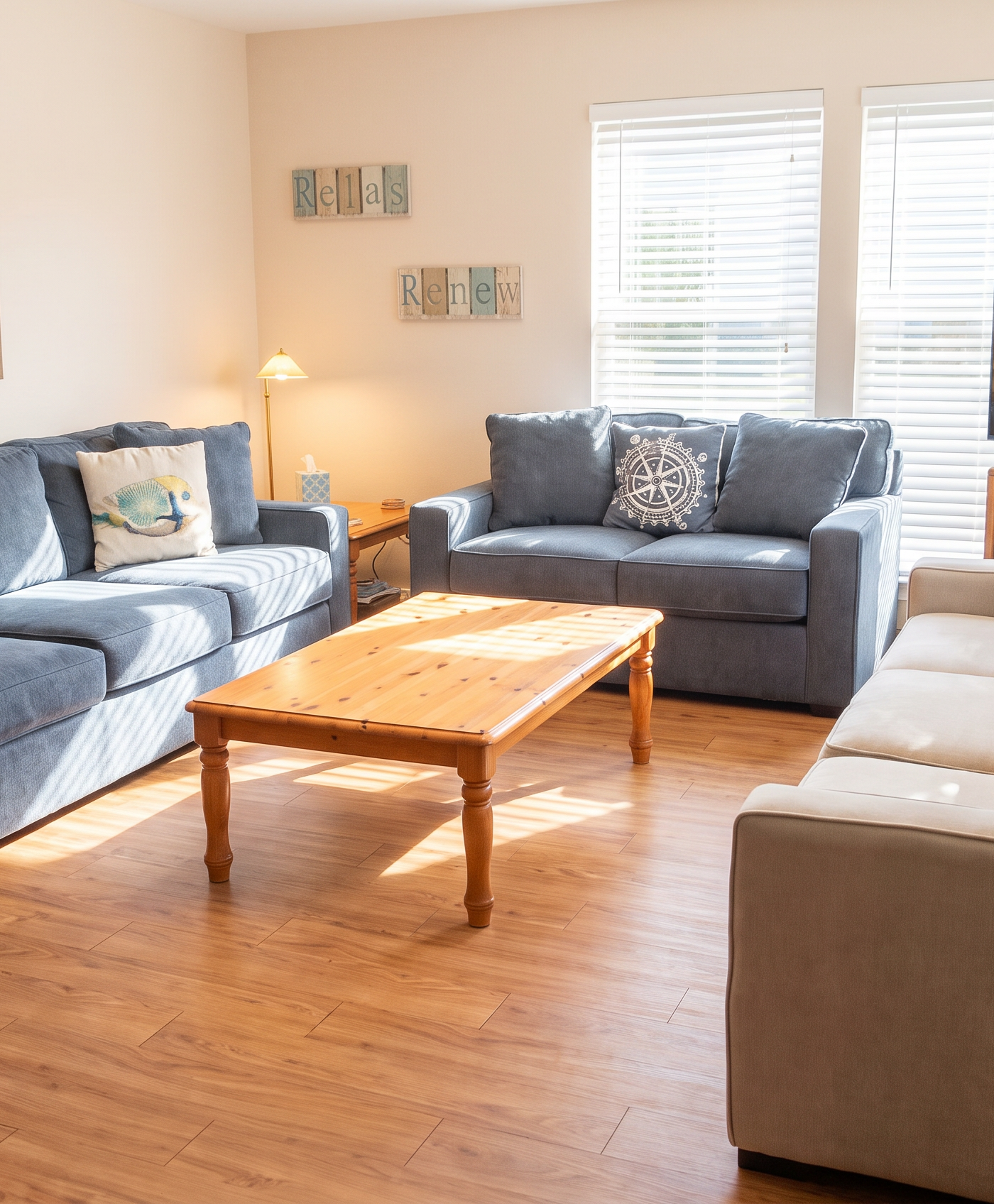
Real before-and-after from a BNBBoost host's listing — not one of Steven's properties.
If your thumbnail lost the side-by-side, you may not need a reshoot. BNBBoost brightens the photos you already have, recovers blown-out windows and polishes colour, while every piece of furniture stays where it is. Try one of your listing photos free and compare it to your current cover →
Step 4: They click but don't book? Audit the page like a suspicious stranger
Do this: Price a real stay. Check photos 2–10, the reviews, and the friction. In that order.
A stranger with a credit card is suspicious of everything. Be that stranger for ten minutes.
a) Total price, not nightly rate. Price a typical stay in your market — say, two weekend nights — and compare the total with the 5–10 listings a guest would genuinely weigh against yours. Airbnb says its algorithm "prioritizes the total price of a listing before taxes (including fees and discounts)" compared with similar listings. (Airbnb Resource Center) A fair nightly rate plus a big cleaning fee on a short stay loses that comparison every time.
b) Photos 2–10, and the gaps. The cover earned the click. The gallery has to keep the promise. Check that:
- Photos 2–5 are as bright and sharp as photo 1. A golden living room followed by a dim hallway breaks trust.
- Every room guests can use has at least one photo. Airbnb's photo tour needs one per room. (Help 477)
- The bathroom, every bed, the parking and the outdoor space are shown. Guests assume a missing photo is hiding something.
- Captions answer what a photo can't show. "Bedroom 2 is upstairs, queen bed, blackout blinds."
Real before-and-after from a BNBBoost host's listing — not one of Steven's properties.
c) Trust signals. Few reviews, an old most-recent review, or a critical review with no reply — each one adds hesitation. New listing? Airbnb says its algorithm is designed to help new listings show up well in search early on. (Help 39) Use that window to earn reviews, not to discount forever.
d) Friction. A minimum stay longer than the typical trip. Request-to-book in a market where everyone else is instant. A strict cancellation policy when guests are booking nervously. In that Community thread, the first suggestion was the host's 4-night minimum.
Step 5: Price, presentation, demand, or visibility? Be honest.
Do this: Name the leak out loud. Then do the one thing in its row — and skip the thing in the last column.
| If… | It's most likely… | Do this | Don't do this |
|---|---|---|---|
| Comparable listings nearby are also wide open for the same dates | Demand (season, oversupply, travel slowdown) | Adjust for the season, open shorter stays, target the guests who are travelling | Rebuild your listing in a panic |
| You're shown, but the click rate trails similar listings | Presentation at thumbnail level (first five photos) or price shown | Boost the first five photos, then re-check price vs neighbours | Rewrite your description first |
| Clicks are fine, bookings trail, and your total is top of the range | Price / fees | Rebalance cleaning fee vs nightly rate. Test a modest change | Slash the base rate by 30% |
| Clicks are fine, the total is mid-pack, bookings trail | Page trust (gallery gaps, reviews, friction) | Fill gallery gaps, boost photos 2–10, loosen minimum stay | Assume it's the algorithm |
| Impressions themselves are low | Visibility | Open more dates, check filters and amenities, respond fast, consider Instant Book | Buy photos first |
Price is sometimes the answer. Price is also the most expensive guess, because a cut costs you on every night you'd have booked anyway. Diagnose first.
Step 6: Brighter, not fake
Do this: Brighten. Don't invent. Would a guest walking in say "yes, that's the room"?
There's a line, and Airbnb draws it. Its ground rules say photos must "accurately represent the space provided," and that Airbnb "will ask hosts to remove content if AI or other digital technology has been used to edit flaws, hide damage, add amenities or attributes that are not part of a listing, or otherwise misrepresent the listing." (Airbnb Help: Ground rules for hosts) In July 2026 a Toronto listing was suspended after a guest said the photos looked nothing like the room. (CP24)
Airbnb also encourages basic edits: "Adjust each photo's brightness, contrast, and highlights." (Airbnb Resource Center)
| Generally fine (presentation) | Risky or not okay (misrepresentation) |
|---|---|
| Brightening a dark room, correcting colour cast | Adding a blue sky or clouds to every window |
| Recovering blown-out windows to show the real view | Replacing the view with one you don't have |
| Straightening verticals, cropping, sharpening | Removing blinds, outlets, radiators or other fixed features |
| Tidying temporary clutter (cables, a stray towel) | Hiding stains, damage or wear |
| Natural, warm daylight look | Turning a daytime room into a fake night scene, or making a wood fire glow unnaturally red |
The test: would a guest walking in say "yes, that's the room"? Over-edited photos win the click and lose the review. Accuracy ratings feed straight back into ranking.
Step 7: Change two things. Then wait 14 days.
Do this: Change at most two things at the leaking stage. Wait 14 days. Check the one metric that stage controls.
This is the step everyone skips, and it's why they never know what worked.
- Write down your baseline: the four funnel numbers, plus bookings, for the last 30 days.
- Change at most two things, at the stage where you trail. Replace the first five photos and fix the gallery order, say. Don't also cut price and rewrite the description.
- Wait 14 days. Low-traffic listings may need longer.
- Re-check the metric that stage controls. First-photo changes should move search-to-listing. Page fixes should move listing-to-booking.
- Keep what worked. Move to the next stage.
The 15-minute checklist
- I know whether my "views" are impressions or page views
- I pulled first-page impression rate, search-to-listing, listing-to-booking and overall conversion vs similar listings
- I found the first stage where I trail
- I checked whether comparable listings are also open (demand check)
- I ran the logged-out phone thumbnail test against 10 nearby listings
- All of my first five photos would work as the cover
- Every room has at least one bright, accurate photo
- I compared my total price for a typical stay with 5–10 comps
- My minimum stay, cancellation policy and booking settings match how guests here book
- I changed no more than two things and set a 14-day check date
Want to see the difference on your own listing before you change anything else? See what your listing could look like with BNBBoost → Your first photo is free, and paid plans come with a 30-day money-back guarantee.
The one thing to remember
Views without bookings means you're being found, and then losing a comparison. Find the first stage where you trail similar listings. If it's the click, run the thumbnail test and make all five of your first photos cover-worthy, bright and accurate. If it's the page, check total price, gallery gaps, reviews and friction. If everyone nearby is empty, it's demand, not you. Change one stage. Measure for 14 days. Then the next.
FAQ
Why does my Airbnb get views but no bookings?
Guests are finding you and choosing another listing. Check your conversion data: if search-to-listing trails similar listings, your first photos or displayed price are losing the click. If listing-to-booking trails, the page is losing them through total price, gallery gaps, reviews or booking friction. If nearby listings are just as empty, it's likely demand.
What is a good Airbnb conversion rate?
There's no single benchmark; published figures conflict and vary by market and season. Use the "similar listings" comparison Airbnb shows next to each conversion metric in Insights, and track your own numbers month over month.
Should I lower my price if I have views but no bookings?
Not first. If your total price for a typical stay is near the middle of comparable listings and your click rate is fine, a price cut is unlikely to fix the real leak. If your total is at the top of the range, test a modest change — often to fees rather than the nightly rate.
Does getting views without bookings hurt my ranking?
Airbnb says popularity signals, including how often guests click, wishlist, message and book, influence search ranking. (Help 39) A listing that gets clicks but few bookings isn't sending strong booking signals, so improving conversion also supports visibility.
Why did Airbnb change my cover photo?
Since mid-2026, many hosts report that Airbnb rotates the search cover among their first five photos. Airbnb hasn't documented this publicly, so make all five strong and check your listing logged out to see what guests see.
Is it okay to edit or enhance my Airbnb photos?
Yes, within limits. Airbnb itself suggests adjusting brightness, contrast and highlights, but its ground rules prohibit edits that hide flaws or damage, add things that aren't there, or otherwise misrepresent the listing.
How long should I wait after changing my listing?
About 14 days in most markets, longer for low-traffic listings. Change no more than two things at once so you know what worked.